Aide en ligne SIGLS - OMH Kativik - MAJ 2024-11-27
Cancelling and Deleting a Work Order
<Accueil » Maintenance » Cancelling and Deleting a Work Order
A work order can be cancelled or reactivated at any time.
Procedure
- Go to "Maintenance -> Work Order -> Work Order".
- Find and open the work order to cancel.
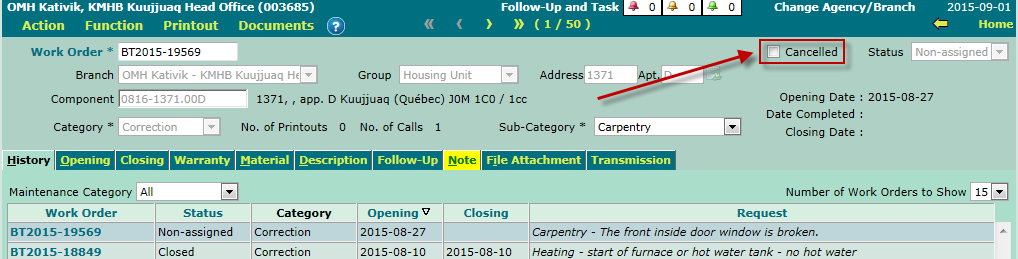
- Check the "Cancelled" box.
- Click the "Save" button.
The work order's status will switch to "Cancelled" thereafter.
Deleting a Work Order
A work order can be deleted at any time, regardless of its status, using the F2 key or the "Delete" option under the "Action" menu.
Here is the procedure for deleting a work order:
- Go to "Maintenance -> Work Order -> Work Order".
- Find and open the work order with the request to be deleted.
- Press the F2 key or go to "Action -> Delete", and confirm the deletion.
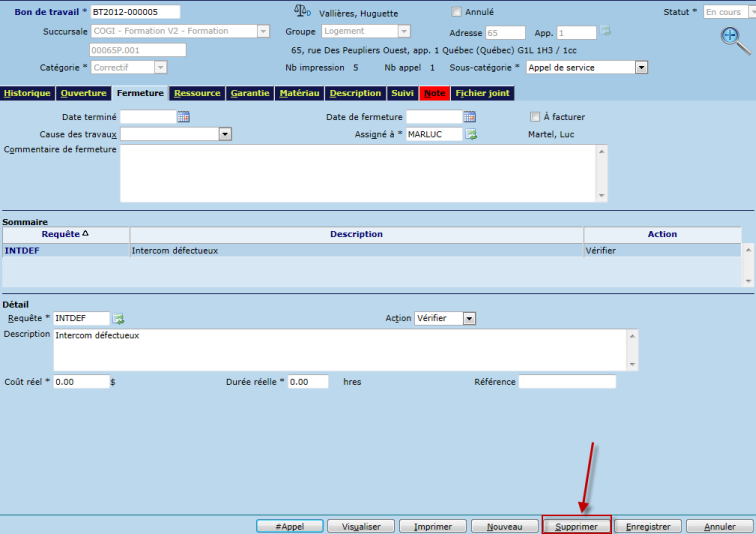
You may also delete a request in a work order, without having the work order deleted. To do so, simply select the corresponding request and click the "Delete" button.
© COGIWEB, 2024