Manual Invoicing
<Accueil » Financial » Manual Invoicing
The "Manual Invoicing" screen enables you to create and view all types of invoices generated by the system.
Batches are created automatically, by user and by branch.
An invoice that cannot be cancelled can be reversed (closed batch).
Creating a Manual Invoice
Here is the procedure for creating a manual invoice:
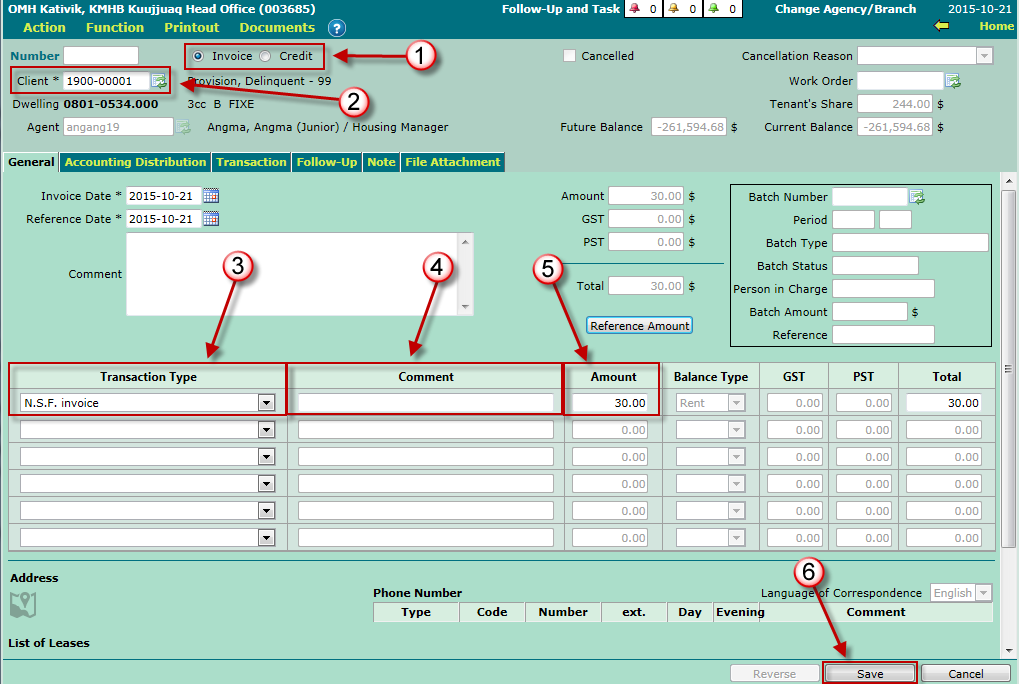
- Specify whether the manual invoice is for an invoice or a credit.
- Select the client to invoice, using the corresponding list of values.
-
Select the transaction type (e.g. Rent invoice, N.S.F., etc.)
- Please note that transaction types can be configured in accordance with the agency's needs.
- Type a comment regarding the invoice (if needed).
- Enter the invoice or credit amount.
- Click the "Save" button to save the invoice.
Please note that the invoicing batches are auto-created, by user and by branch, after saving the invoice. Nonetheless, invoicing batches can be created manually, if needed.
Learn more about invoicing batches.
The "Accounting Distribution" Tab
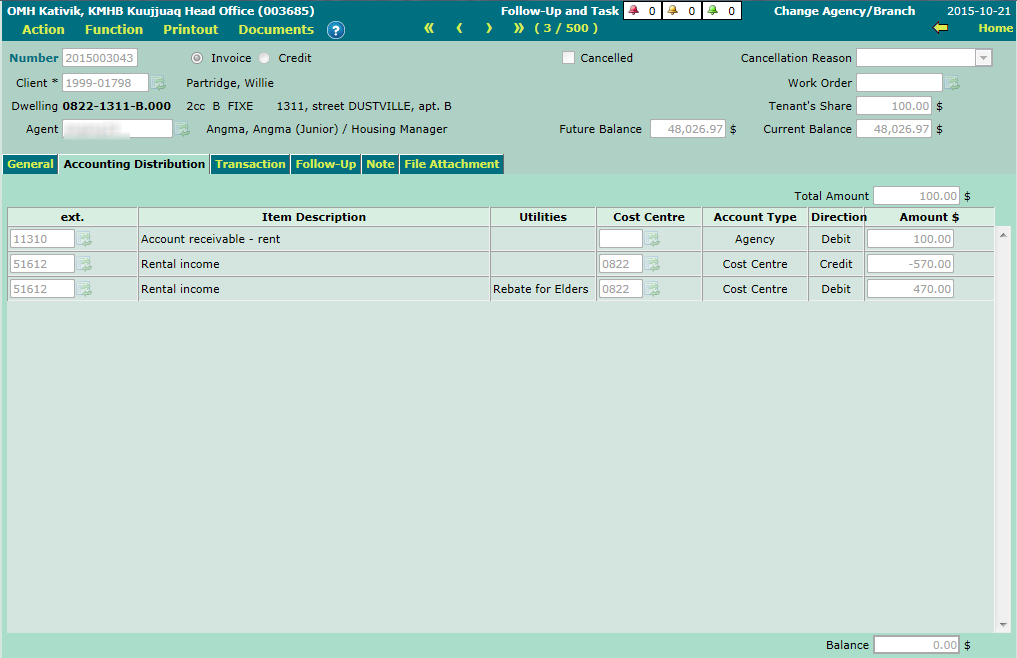
The "Accounting Distribution" tab enables you to adjust, if needed, accounting items, cost centres and amounts associated to the invoice's accounting distribution.
The "Transaction" Tab
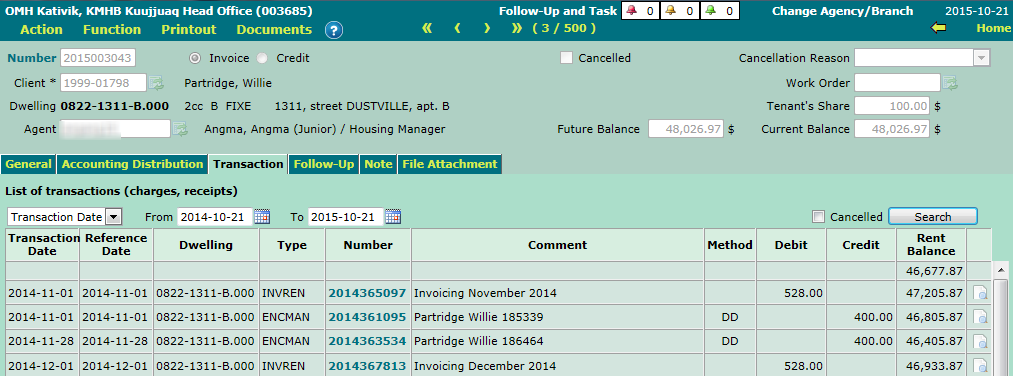
The "Transaction" tab lists all transactions (charges and receipts) for the client account associated to the current invoice.
Please note that this tab is only visible to users who belong to a "SIGLS.NET Administrator" group.
© COGIWEB, 2024